Plan a caravan trip with fuel stops that match your tank
Kept lays your trip out on real roads, adds fuel stops that suit your tank and towing, and shows the weather at every stop. You can add caravan parks, free camps and day trips along the way.
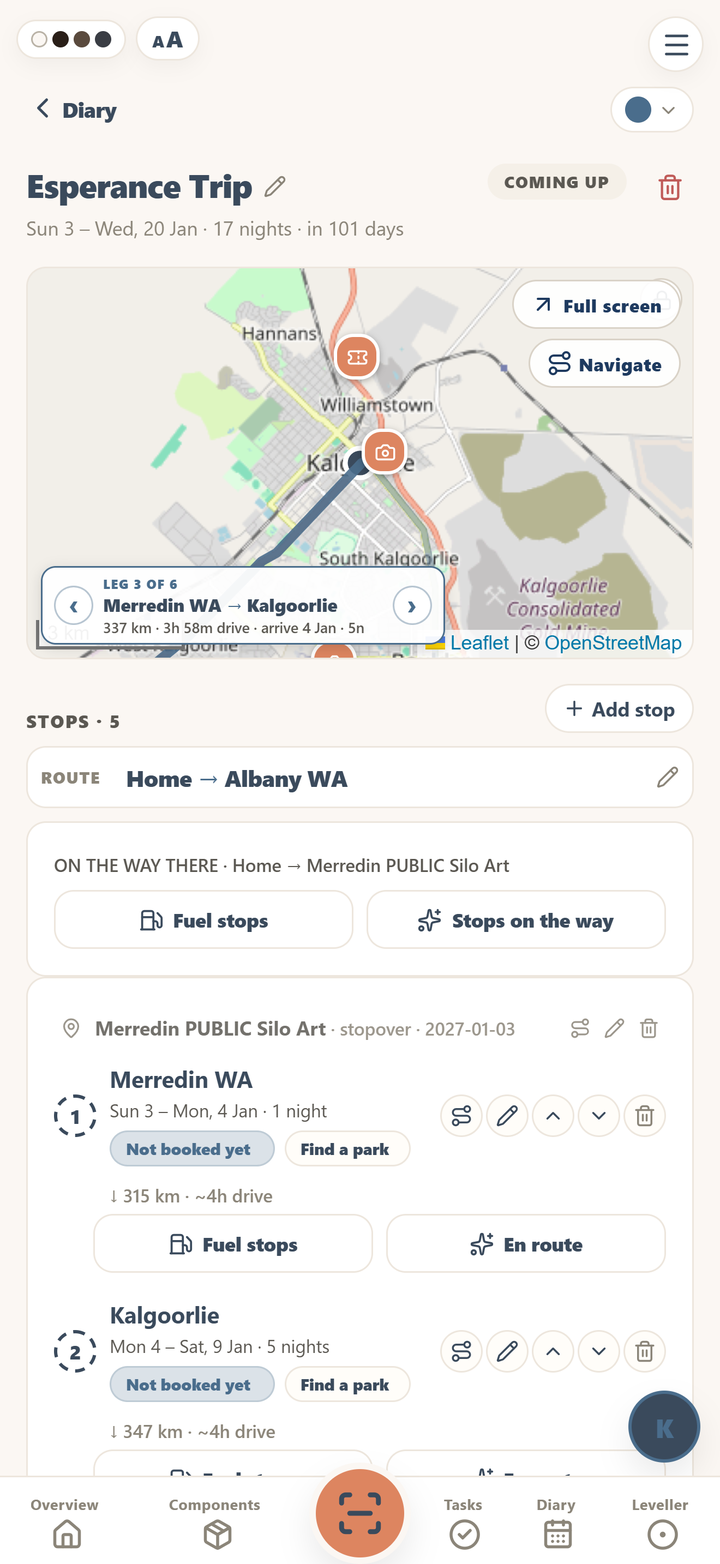
How to do it
- 1Open Diary and tap Plan a trip.
- 2Give it a name and add your stops (a town or a park is fine).
- 3Kept draws the route and suggests fuel stops. Tap any stop for weather, directions and things to do.
Questions
Does it know about towing fuel use?
Yes. Set your tank size and towing economy, and Kept spaces fuel stops so you're never caught short.
Can I do the same trip again next year?
Yes. Open the trip under Been there and tap Do this trip again.
Try it free
Join the free beta: 14 days free. iPhone, iPad, Android or computer.
Get KeptKeep going
Share a caravan trip with friends and plan it togetherThey get 14 days of Kept free, and you get 14 morePlan camp meals and a shared shopping list for a caravan tripMeals roster, who's bringing what, one shopping listFind free camps, phone signal and rain radar for your next stopFind a spot, find a bar of signal, dodge the storm