FOUNDING NOMAD · KEPT BETA

You're in.
Welcome aboard.

Thanks for helping build Kept. Here's everything you need in one place: how to get it on your phone, what to try first, and how to tell us what you think. It'll take about ten minutes.

Join the free beta: 14 days free · 25% off for life · no card needed
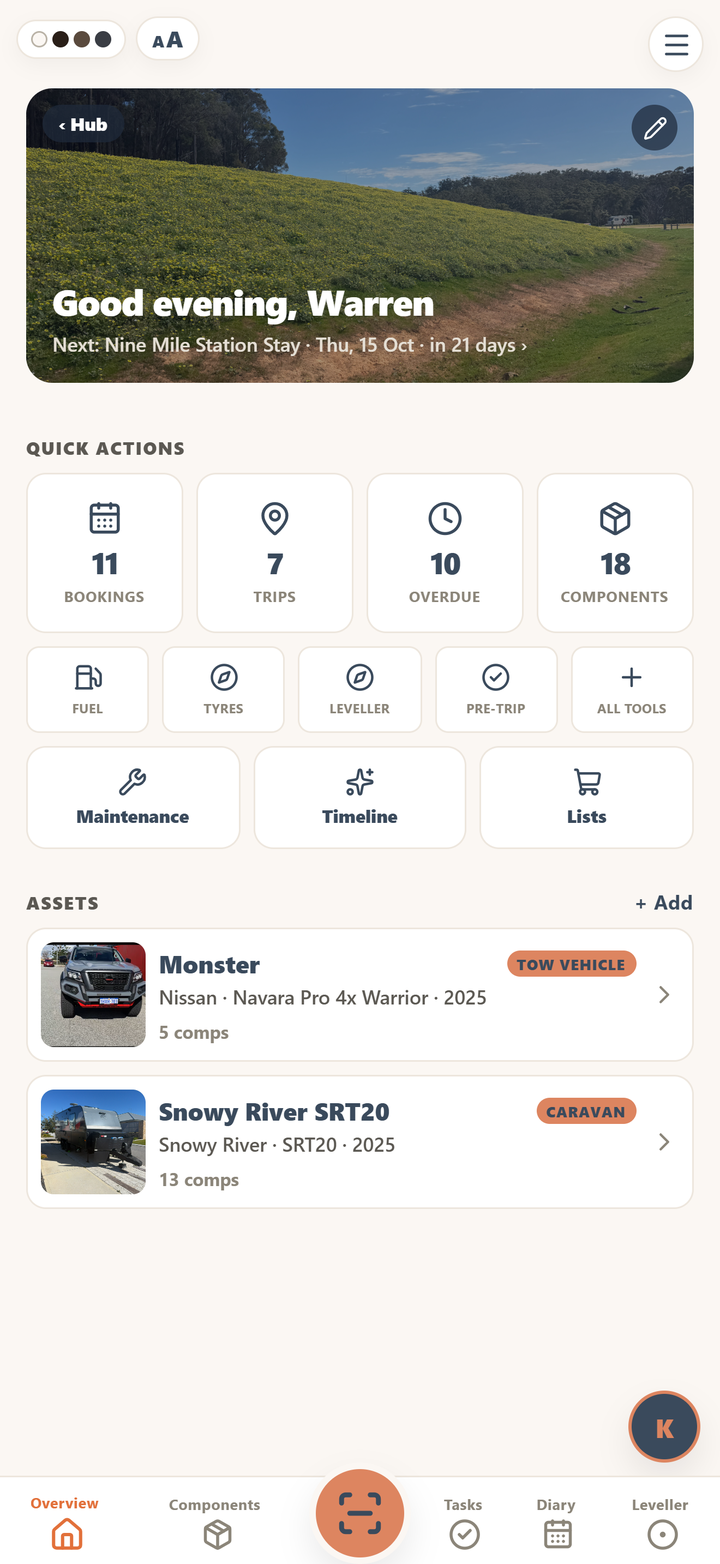
Kept Overview on iPhone with your next stay, quick actions and your rig

Get the app

Pick your phone. Same Kept everywhere — your trips follow you.

iPhone

Install Apple's free TestFlight app, then tap the button to join the Kept beta and install.

Get Kept for iPhone

Got an email invite from Apple instead? Open it on your iPhone and tap View in TestFlight.

Android

The Android app is on its way to the Play Store. Until then, Kept runs beautifully in Chrome — and you can pin it to your home screen so it opens like an app:

  1. Tap the button below on your Android phone and sign up.
  2. In Chrome, tap ⋮ (top right) › Add to Home screen › Install.
  3. Open Kept from the new icon on your home screen.

Get Kept on Android

Same account, same trips as the iPhone app. We'll email you when the Play Store version is ready.

Any phone or computer

No app needed — Kept works in your web browser too.

Open Kept in the browser

Sharing with a friend? Send them www.kept.net.au/get — it picks the right one for their phone.

Three steps to get going

On iPhone, use TestFlight (above or your invite email). On Android, use the Android link above. On anything else, just open Kept in your browser.

1

Install TestFlight

TestFlight is Apple's free app for beta testing.

  1. Open the App Store on your iPhone.
  2. Search TestFlight and install it.
2

Join the Kept beta

On your iPhone, tap Get Kept for iPhone (or open www.kept.net.au/get).

  1. TestFlight opens — tap Accept, then Install.
  2. No code needed. Kept keeps itself up to date after that.
Got an email invite from Apple instead? Open it on your iPhone and tap View in TestFlight — that works too.
3

Sign up and add your rig

  1. Open Kept and sign up with your own email.
  2. Tap + Add under Assets for your van and your tow vehicle — or redeem a code if your maker gave you one.
No iPhone? Go to kept.net.au on your phone or computer — it's the same Kept.

Your first ten minutes

Tick these off and you'll have seen the best of it. Each one links to a step-by-step guide.

Scan one nameplate

Tap the orange button in the middle, photograph the fridge or hot water sticker, and watch Kept find the manual.

How to →

Add your next booking

Snap the park's confirmation — or forward the email to your Kept booking address.

How to →

Plan a trip

Diary → New trip or booking. Add a couple of stops and see the route, fuel and weather.

How to →

Level the van

Leveller in the bottom bar, phone flat on the floor. Green means crack a cold one.

How to →

Check your weights

Enter the plate numbers once and Kept tells you how close you are to the limits.

How to →

Share with your partner

Settings → Family → invite. They use their own email and see the same van and trips.

How to →

Tell us what you think

The most useful thing you can do is use Kept on a real trip and tell us when something delights you, annoys you, or doesn't make sense.

In the app, open the ☰ menu and tap Feedback. Add a screenshot if you can — it comes straight to me, and most fixes ship within the week. Or just email hello@kept.net.au.

There are no silly questions and no wrong answers. If you got stuck, that's on the app, not you.

— Warren, founder of Kept